
Capture anywhere
Use Note, Record, Photo, Chat, or the iOS share sheet for text, links, and images. Everything lands in one consistent flow.

AnyNotes+
Personal AI Inbox + Topics Workspace
Capture from note, voice, photo, share sheet, or chat. AnyNotes turns each input into an organized result, suggested next steps, and a topic you can keep moving forward.
Subscriptions in the TestFlight build are free during beta. No extra payment is required, so feel free to subscribe in the app.
Product Screens
See how a quick capture becomes a clearer Inbox result, then turns into a topic you can keep moving forward.
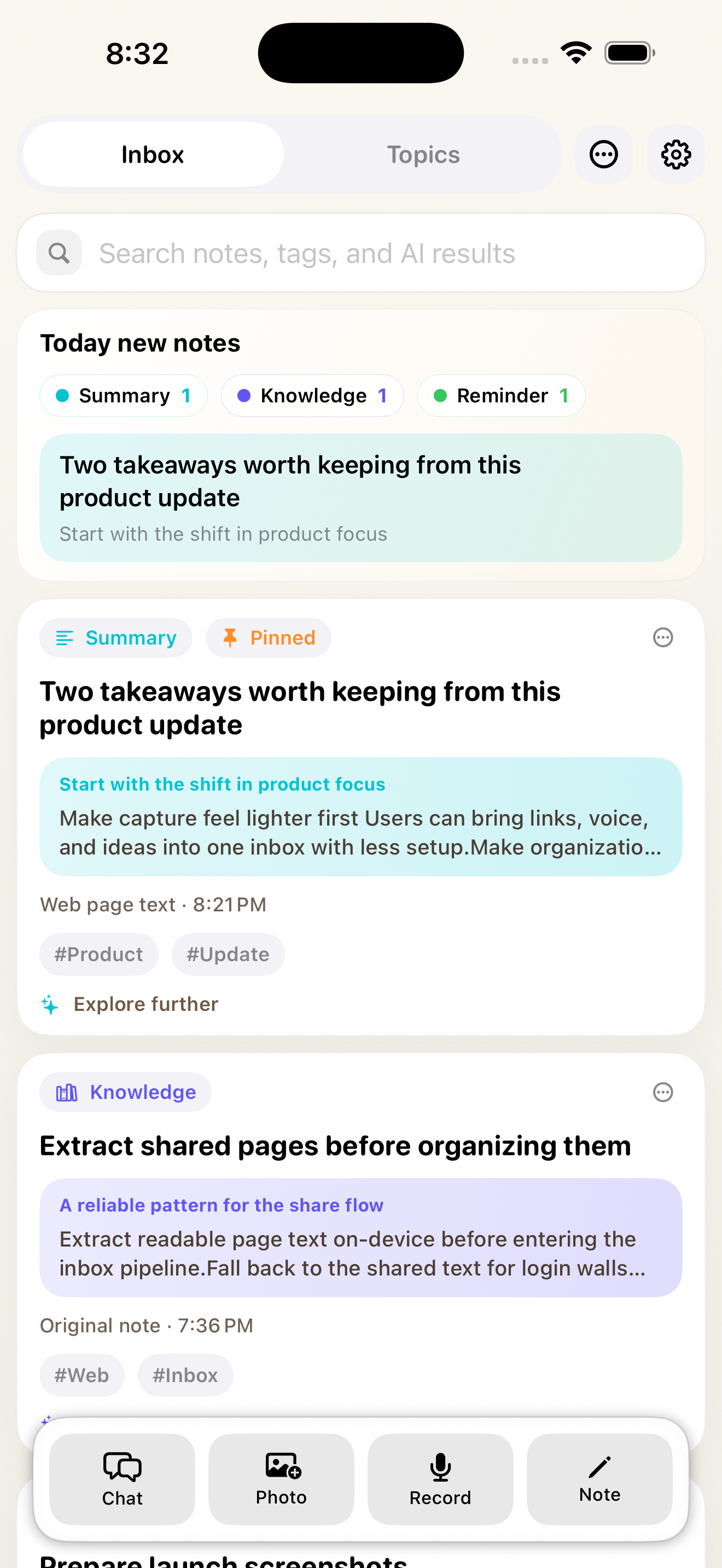
Today's notes, AI result cards, tags, and the four primary capture actions.
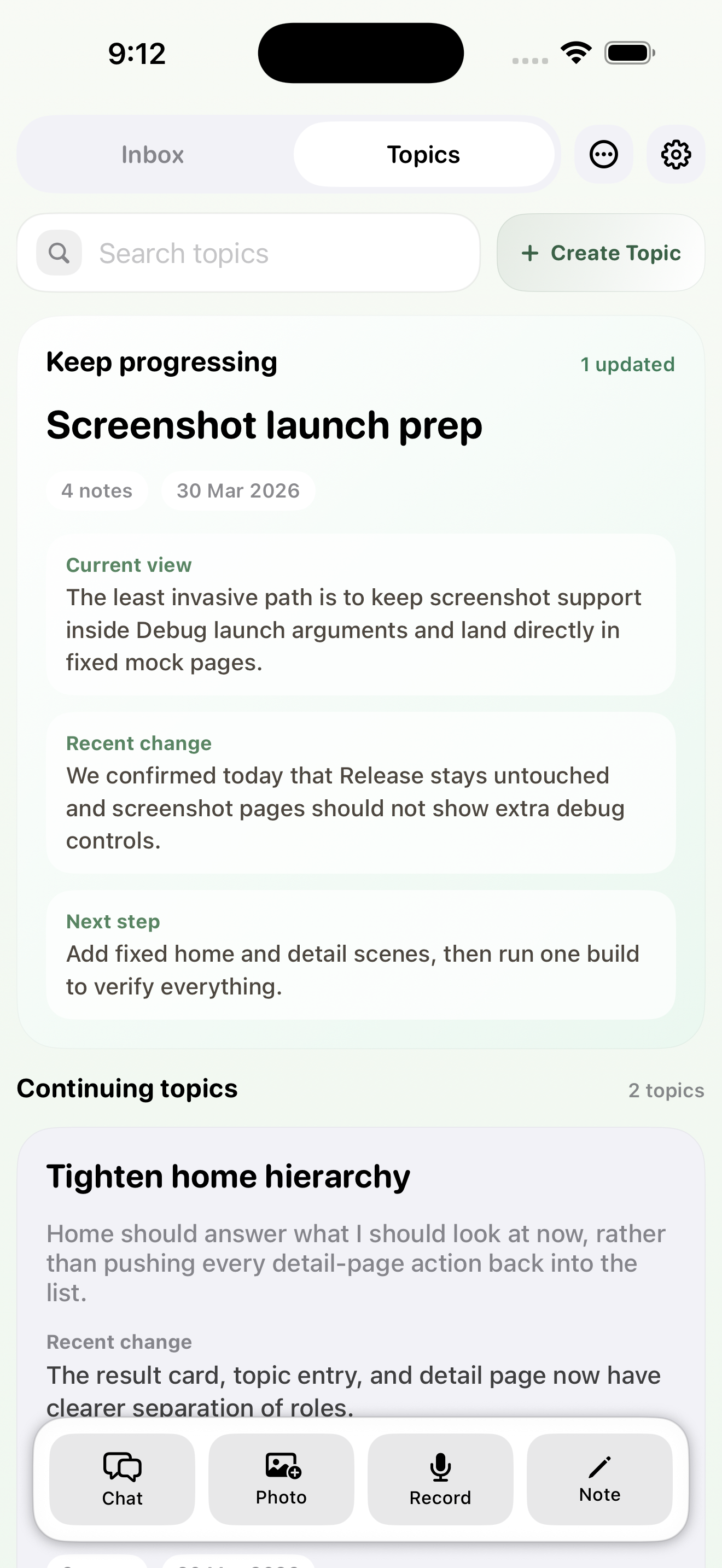
Focused topic synthesis with current view, recent change, and next step surfaced on the Topics home screen.
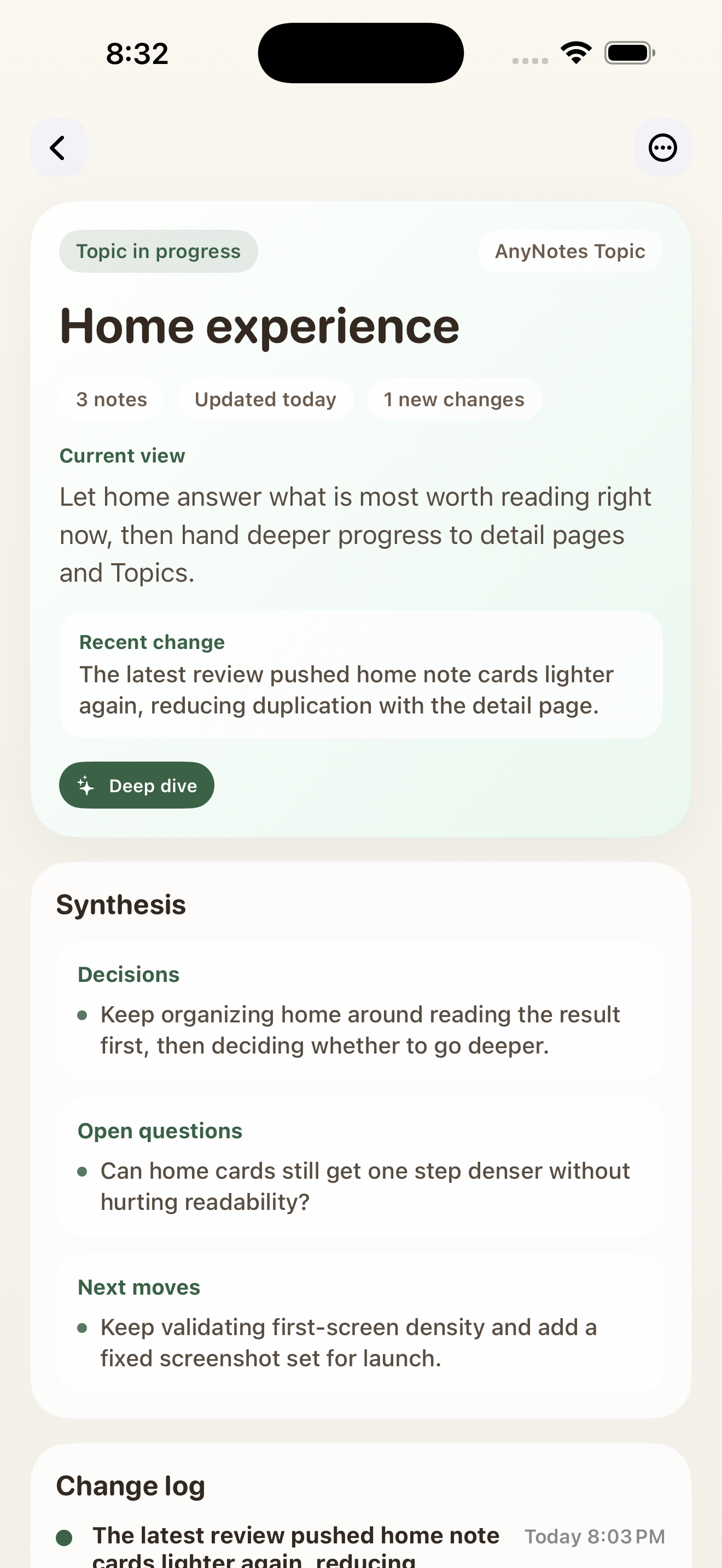
The deeper topic view with synthesis, change log, and a cleaner reading-first layout.
Why It Fits Real Capture Habits
AnyNotes is built around the flow people actually use on a phone. Capture first, let AI clarify what just came in, then keep pushing the same thread forward instead of losing it in a long list of notes.
Start inside the app or from the iOS share sheet. Text, voice, photos, links, and chat transcripts all enter the same inbox flow instead of living in separate silos.
AnyNotes automatically generates a clean title, summary, structured result card, and suggested next actions for ideas, meetings, reminders, summaries, and knowledge notes.
Move beyond isolated notes. Group related notes into Topics and keep an up-to-date synthesis with current decisions, recent changes, and the next move to make.
Draft reminders, Things tasks, and follow-up emails, continue in AI Chat, or export the main result as a shareable image instead of a noisy screenshot.
Open a note-specific chat, use your own prompts, search saved notes, and hand off bigger tasks to the built-in sandbox workspace when a quick rewrite is not enough.
Keep everything findable with search, tags, pinning, archive mode, batch summaries, and iCloud-backed storage tied to your own account.
How It Works
Use Note, Record, Photo, Chat, or the iOS share sheet for text, links, and images. Everything lands in one consistent flow.
Each new note gets a title, summary, primary result card, and suggested next actions without blocking the save step.
Move beyond one-off notes with Topics that keep the latest synthesis, changes, open questions, and next moves visible.
Turn results into reminder drafts, Things tasks, follow-up emails, shareable image cards, or a deeper AI chat session.
What The App Produces
Inbox result types
What you can do next
Private by default
Notes live in your personal iCloud-backed storage instead of a shared service database, so capture can stay lightweight without adding a new account system.
Built for ongoing work
The app keeps the quick-entry speed of a note inbox while adding search, archive, topics, AI chat, and shareable outputs for the notes that need to turn into something real.
FAQ
The full help page lives in Support. This section covers the four questions most people ask before trying AnyNotes+.
Yes. AnyNotes+ is available on iPhone and iPad through the App Store, with one capture flow that stays consistent across devices.
Your notes stay in your own iCloud-backed storage through CloudKit, instead of being kept in a shared service database.
Yes. You can capture from text, record, photo, or the iOS share sheet, and AI Inbox can turn that input into clearer titles, summaries, result cards, and next steps.
Yes. AI features require AnyNotes Pro. To use them, you also need your own OpenAI API key or a Codex sign-in inside the app.
Start With The Messy Version
Use AnyNotes when a thought, meeting, link, screenshot, or voice memo is still half-formed, but you already know you will want a clearer result later.