From material to deliverable
You have collected notes and talked through the subject with AI. When you need to send the result to someone, you realize they do not need the whole conversation. They need the conclusion, a next step, or a file they can open.
Start here when the material already exists. Whether you are making a project brief, an execution checklist, or a trip plan, first consider what the recipient will do with it.
Explain who will read it
Instead of “organize this,” give a little context:
This is for colleagues who missed the discussion and have a few minutes to read. They need to understand why we are doing this, what we have decided, and what we need from them next. Show me a one-page brief outline before writing the full draft.
Audience, purpose, length, and format help more than a long list of writing rules. A personal note can keep the thought process; an execution checklist needs clear actions and conditions.
Get the content right before making the file
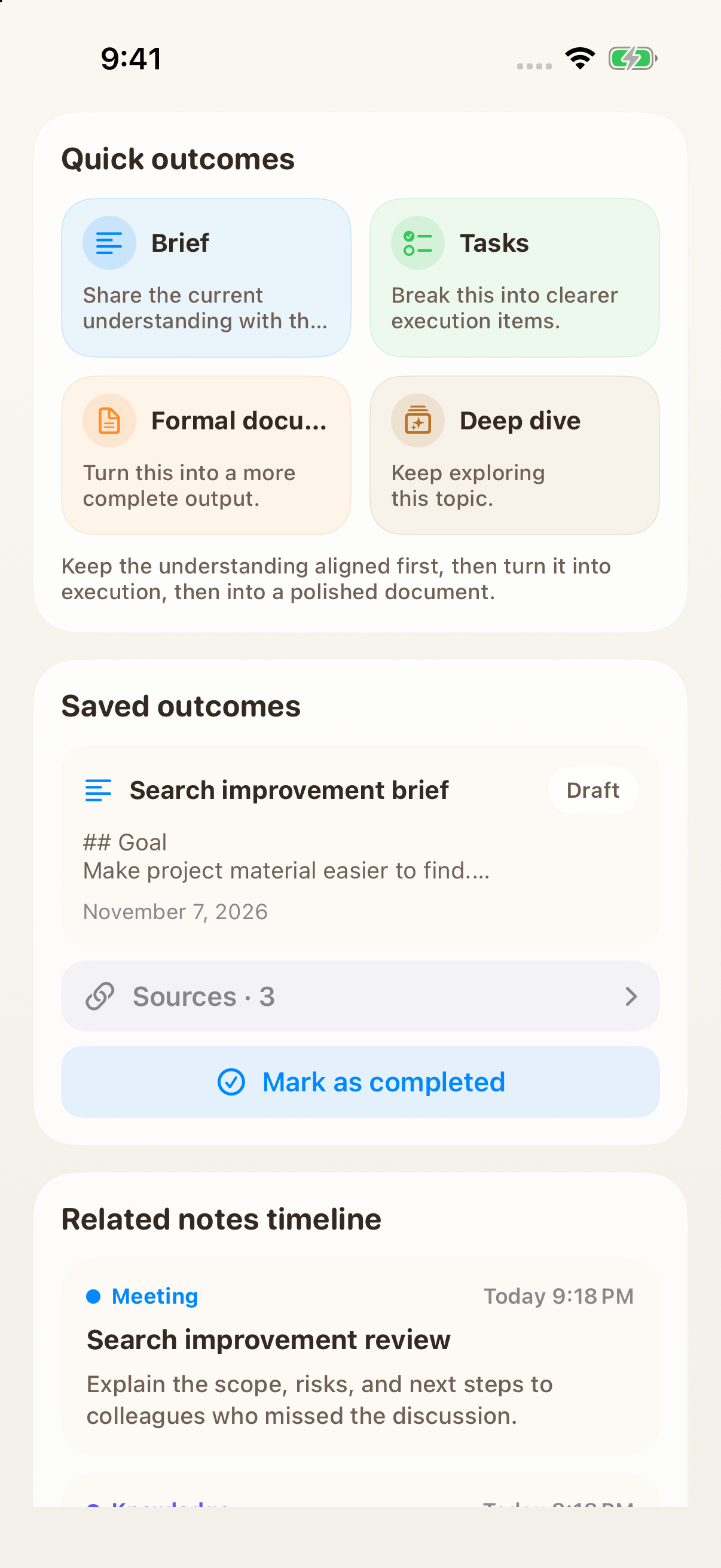
If the material belongs to a Topic, generate a brief, task list, or draft and save it for editing. The revised version stays with the original work, ready for later additions.
For calculations, charts, or a specific file format, supply the relevant material and attachments in AI Chat. Review an outline first. Check whether it gets to the point, makes sense to someone who was not present, and supports its conclusions before spending time on wording and layout.
Leave room for what is not yet known
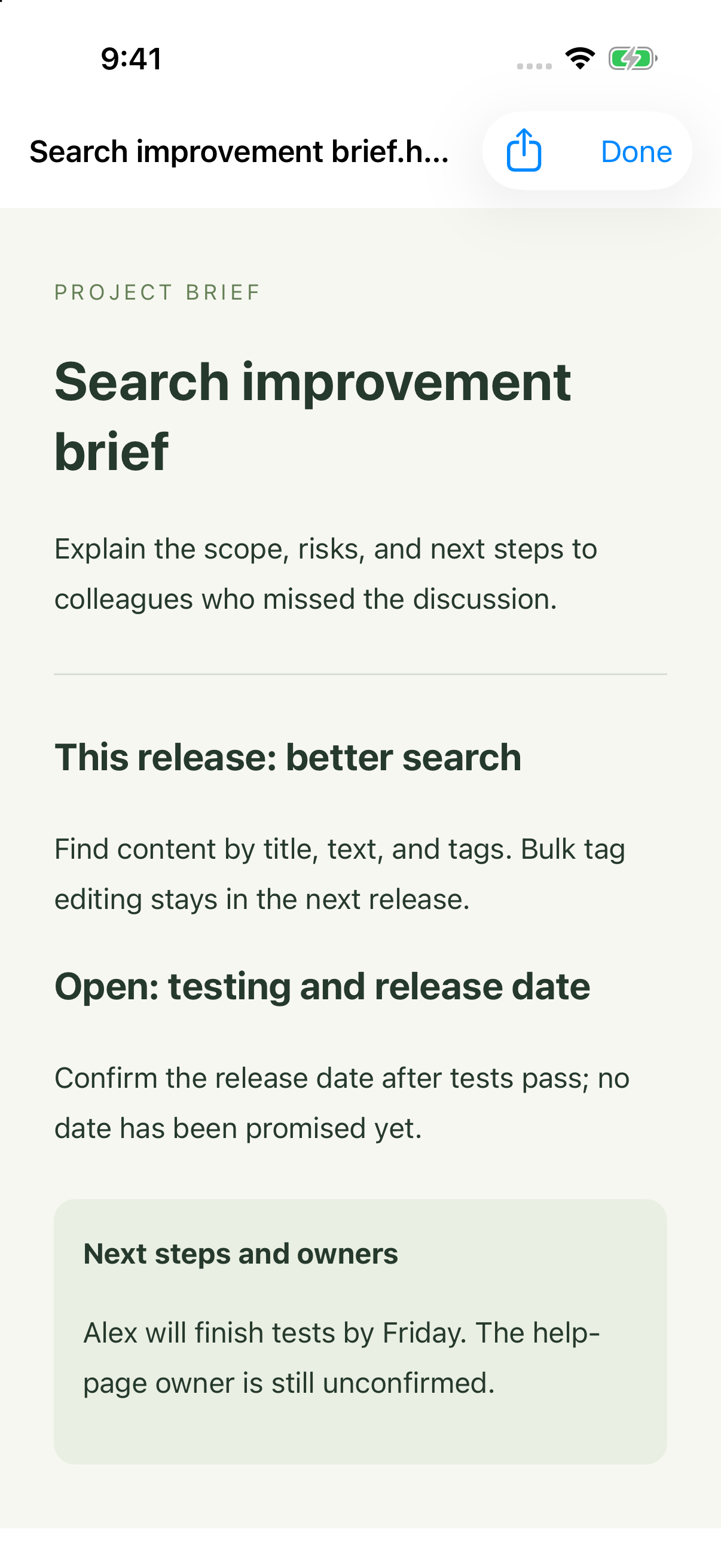
A useful deliverable does not need every blank filled. An unagreed date or estimated budget should look different from a confirmed fact.
Organize this into the goal, current conclusions, risks, and next steps. Do not invent missing numbers. Mark unconfirmed dates separately, and distinguish tasks with agreed owners from work that still needs assigning.
Then ask what the reader most needs to know if they only have thirty seconds. That can remove background without losing information that changes the decision.
Open the actual file
Once the content is ready, request a shareable file and open its preview from the tool details. The file is what the recipient will receive, so check that rather than relying on the chat’s completion message.
- Check the content first: numbers, dates, names, sources, and unresolved details.
- Check readability: clear headings, complete tables, and a sensible reading order on a phone.
- Check delivery: a recognizable filename, the right attachments, and any short explanation the recipient needs.
Make changes in the same conversation and preview the new result before sharing. Generated files stay in the local workspace; export what you need on another device or want to retain long term.
Reuse the parts that have proved useful
For a weekly report or recurring brief, a suitable Skill can reuse the steps and format. First produce a version you are happy with, then make that process repeatable.
Writing a next step in a document does not execute it. If it needs a reminder or an enabled app action, request that separately and review the details before confirming.