Live voice conversation
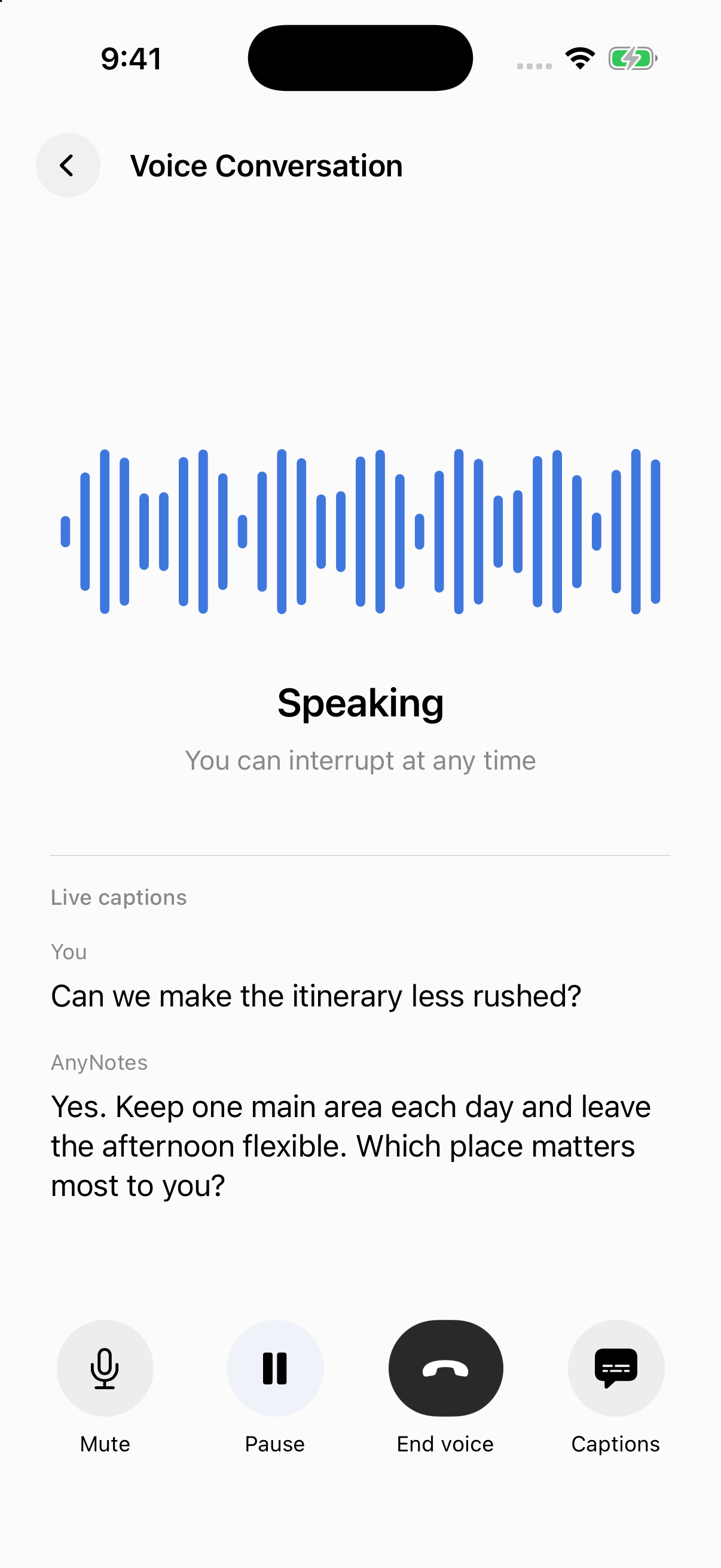
Use the voice entry in AI Chat for a two-way conversation. Voice carries over the chat context and available tools, with captions, mute, and end controls. Actions that need review still show a confirmation. Ending voice preserves received conversation history and stops unfinished requests.
- Open a chat from Home, a note or a Topic, then choose its live voice control.
- Speak naturally. Captions keep the exchange readable, and you can interrupt an AI reply.
- Use Mute to silence your microphone or Pause to stop audio temporarily; Resume continues the conversation.
- End voice and confirm when you are finished. The conversation history remains available.
Try saying:
Let’s continue this plan. Find the two least certain assumptions, then ask me about them one at a time.
Recording captures your own speech as a note; live voice is a conversation with AI. To keep the discussion as a note, use the chat’s save-note action and confirm. Chat history and attachments stay on this device; the saved note participates in note sync.